Getting Started
From zero to a fully bundled launch. Connect a surface, create your wallets, fund the hive, and run your first bundle and launch. Every step below has a screenshot or a diagram.

There are two ways to drive PumpFun Bundler, and they share one account. Start on Telegram for speed, or open the web terminal for a full trading desk. Whatever you set up on one shows up on the other.
Choose your surface
Both front ends reach the same engine and the same wallets. Use whichever fits the moment.
| Surface | Best for | How to open |
|---|---|---|
| Telegram bot | Speed, mobile, launching on the move, quick wallet actions | Open the bot in Telegram and press Start |
| Web terminal | Charts, the live token feed, managing many wallets, post launch trading | Visit the terminal and sign in with the Telegram deep link |
One account, both surfaces
Signing into the web terminal uses a Telegram deep link, so your bot and terminal are the same account. Wallets, presets, and settings sync automatically.
Step 1: Connect
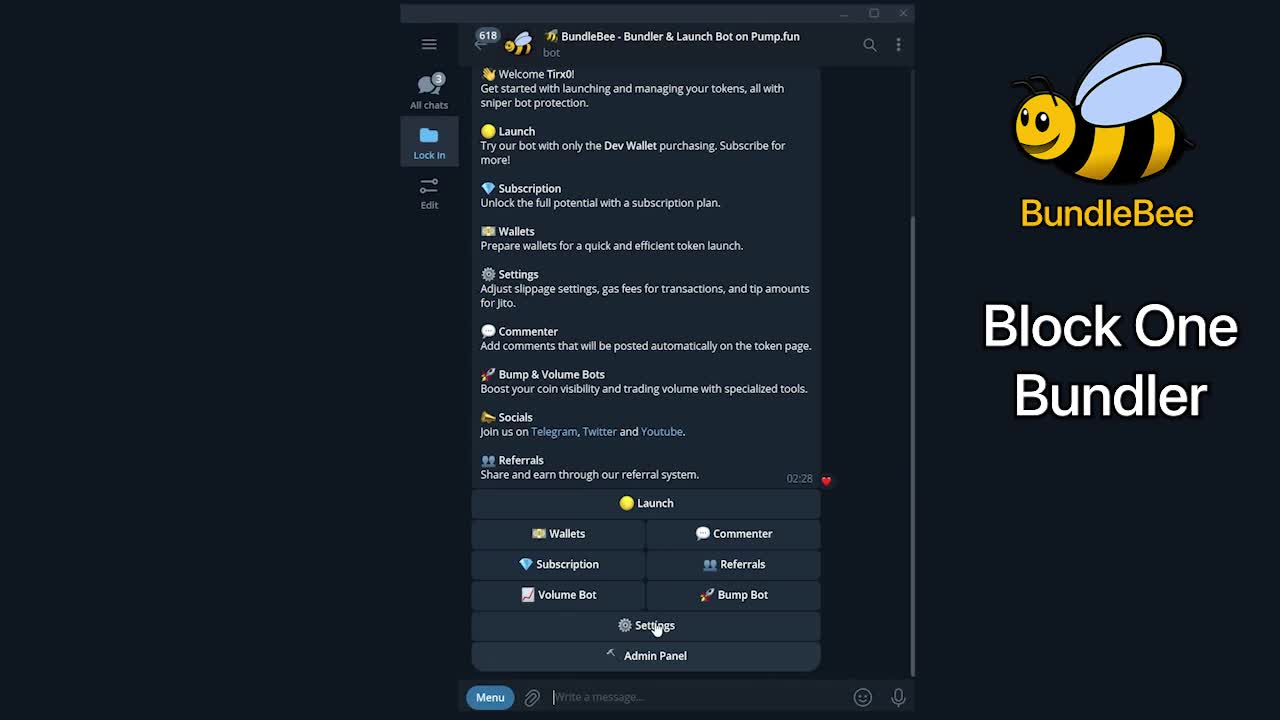
Open the bot
Launch the PumpFun Bundler bot in Telegram and press
Start. You will land on the main menu with Launch, Wallets, Settings, Bump and Volume bots, and Referrals.Or open the terminal
Visit the web terminal and click Sign in with Telegram. Approve the deep link and you are in, with the same account as the bot.
Set your defaults
In Settings, review slippage, priority fee, and your Jito tip. The defaults are sensible; you can fine tune them before your first launch. See Fees for what each one costs.
Step 2: Create or import wallets
PumpFun Bundler uses role based wallets. You always start with a developer wallet, the one that creates the token and makes the first buy. Then you add bundle wallets (up to 28) that buy alongside it in the same block.
Open Wallets
From the menu, open Wallets. New accounts get a fresh developer wallet generated for you.
Generate bundle wallets
Use Quick Deploy to spin up a batch of buy wallets in one action, or add them one at a time. You can have up to 28.
Import if you prefer
Already have wallets? Import them by private key. Every key is encrypted at rest in the vault. Read Security for how keys are stored and how to export them.
The full breakdown of every role, plus distribution and sweep, lives in Wallets.
Step 3: Fund your wallets
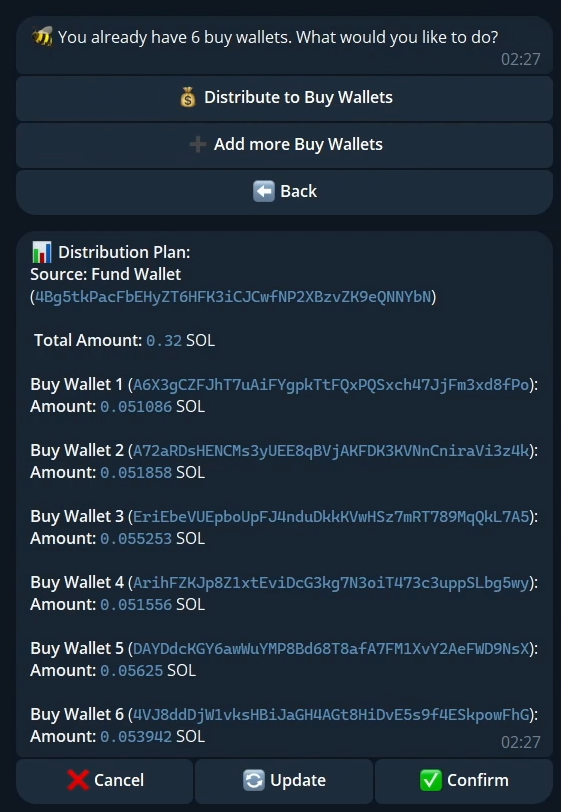
Deposit SOL into your fund or developer wallet, then distribute it out to the bundle wallets so each one has enough to buy plus fees. PumpFun Bundler can split an amount evenly or by a custom plan.
Leave room for fees
Each wallet needs a little extra SOL beyond its buy amount to cover the network fee, the priority fee, and its share of the Jito tip. PumpFun Bundler flags a wallet that is underfunded before you deploy.
Step 4: Your first bundle
A bundle groups your developer buy and every bundle wallet buy into one atomic package that lands in the launch block. Here is the shortest path to one:
Pick a token to buy or launch
Either launch a new token (next step) or paste an existing token address to bundle buy it.
Set the buy plan
Choose how many wallets take part and how much each spends. PumpFun Bundler shows the total and each wallet share.
Set tip and slippage
Confirm your Jito tip (how hard you bid to win the block) and slippage tolerance. Higher tip means a better chance of landing first.
Deploy
Press Bundle. PumpFun Bundler builds, signs, tips, and submits. When it lands you will see every wallet filled in the same block.
The mechanics, including the Early Block timeline and how tips win the race, are in Bundling.
Step 5: Your first launch
Launching creates a brand new token and bundles the opening buys in the same move.
Open Launch
Choose a launchpad: pump.fun Bonk Bags. Each has slightly different economics, covered in Launching Tokens.
Name it
Type a name, ticker, and description, or let the AI Architect generate a full concept and art from live market trends. Add socials and a fee share if you want them.
Set the dev buy and bundle
Decide how much your developer wallet buys at launch, then how many bundle wallets join and their amounts.
Deploy and watch
Press launch. The token is created and your whole hive buys in block one. You land on the post launch dashboard with a live chart, bought and sold totals, value, PnL, a swap manager, and the anti-sniper toggle.
Do a dry run first
Start with small amounts and a couple of wallets for your first launch, so you can watch the full flow end to end before you scale up to a 28 wallet bundle.