AI Architect: turn the live meta into a launch ready coin before the trend peaks.
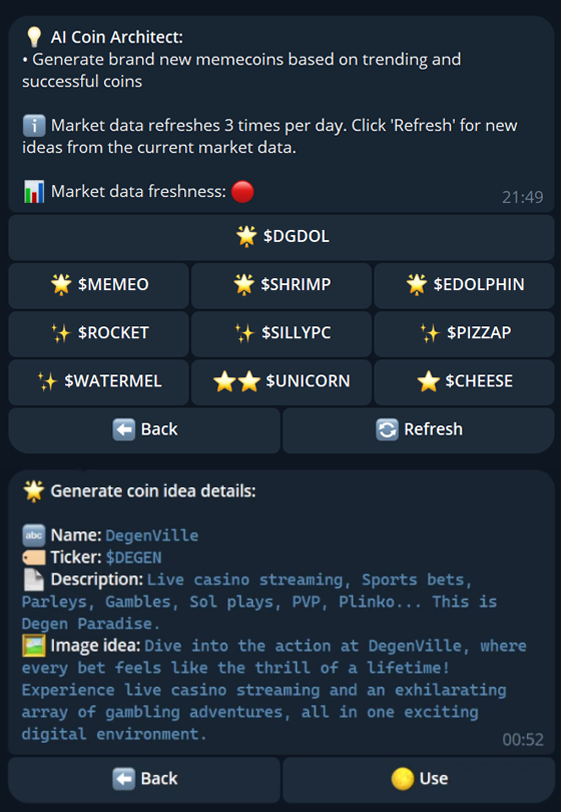
The alpha in memecoins is timing, and timing is exactly what a blank launch form costs you. Our proprietary engine reads where the money is moving right now and hands you live, on-meta ideas: real coins pulling volume, each with its real picture, name, ticker and description, plus a complete generated website. See the trend, like the idea, launch into the demand in one click, all before the crowd catches up.

The Coin Architect is the edge most launchers do not have: a proprietary engine that turns the live meta into ready to launch ideas while the trend is still climbing. Its idea cards are live VAMP ideas: real coins pulling volume right now, each shown with its real picture, name, ticker and description. Push any one of them straight into Launch, or dress it with a generated site. Being first on the right meta is where the money is, and this is built to get you there first.
An idea is not your market
Each idea is based on a real trending coin, but the coin you launch from it is brand new. It has no market cap yet, so the Architect never invents price, volume or holder numbers for it. Real market numbers only appear after you launch.
Grounded in where the money actually is
The engine never guesses. Every card on the board is a live VAMP idea: a real coin pulling volume right now, shown with its real picture and a description, either the coin's own text or one written by the PumpFun Bundler AI brain. That is the whole point: instead of praying a random idea lands, you launch into a narrative that is already pulling capital. Press New ideas to bring in coins you have not seen yet. While the page is open, the ideas refresh in the background all day, and a +N new badge on New ideas tells you fresh coins are waiting. A coin already listed in Trending now on the right is never shown as an idea. No key is needed.
The board: six equal cards
The ideas render as one balanced block of up to six cards, all the same size: two across on desktop, then a single column on phones. Every card is equal width and height, so the board reads as a tidy set rather than a ragged list.
What is on a card
| Element | What it is |
|---|---|
| Picture | The coin's real picture, rendered right on the card, ready to carry into the launch. |
| Name | The coin's real name. |
| Ticker | A short symbol in monospace. |
| Description | The coin's own description, or one written by the PumpFun Bundler AI brain when it has none. |
| Actions | Deploy this loads the idea into Launch; Make site generates a landing page for it. |
One click to launch
When an idea clicks, so do you. Deploy this carries the idea's name, ticker, description and picture straight into Launch, where your wallet set, buy plan, launchpad and anti-sniper toggle are waiting. You go from a trend to a fully staged bundle without retyping a thing. Want the Architect to pick, build and deploy coins for you instead? See AI Launch.
AI buttons live in the composer too
Even without the Architect, the launch composer has AI buttons on the name, symbol and description fields, and a Generate logo control on the side rail. The Architect is the studio; those buttons are the quick fixes. See Launching Tokens.
Make a site
A coin needs a home. Press Make site on any idea and PumpFun Bundler fills a pre made template with your name, symbol and description, then renders it live in a sandboxed preview. Templates are fast and consistent, and the generated index.html deploys with your launch.
How to use it
-
Open the Architect
The board loads with live VAMP ideas: real coins pulling volume right now. The Trending now rail on the right lists the top coins by 24 hour volume, and those are never repeated as ideas.
-
Page for more
Press New ideas to bring in coins you have not seen yet. When a +N new badge appears on the button, fresh coins have arrived in the background. No key, no wait.
-
Dress it, optionally
Press Make site on an idea to generate a landing page from a template. Preview it live before you commit.
-
Deploy it
Press Deploy this to load the name, ticker, description and picture into Launch, then run your normal bundle.